
Run your whole hospital from one system
From the reception desk to the final bill: registration, OPD, admissions and beds, laboratory, pharmacy and accounts work together, so every rupee and every report is in the right place.
- ✓Works without internet
- ✓Your data stays in your hospital
- ✓Prices in Rs., Pakistani fiscal year
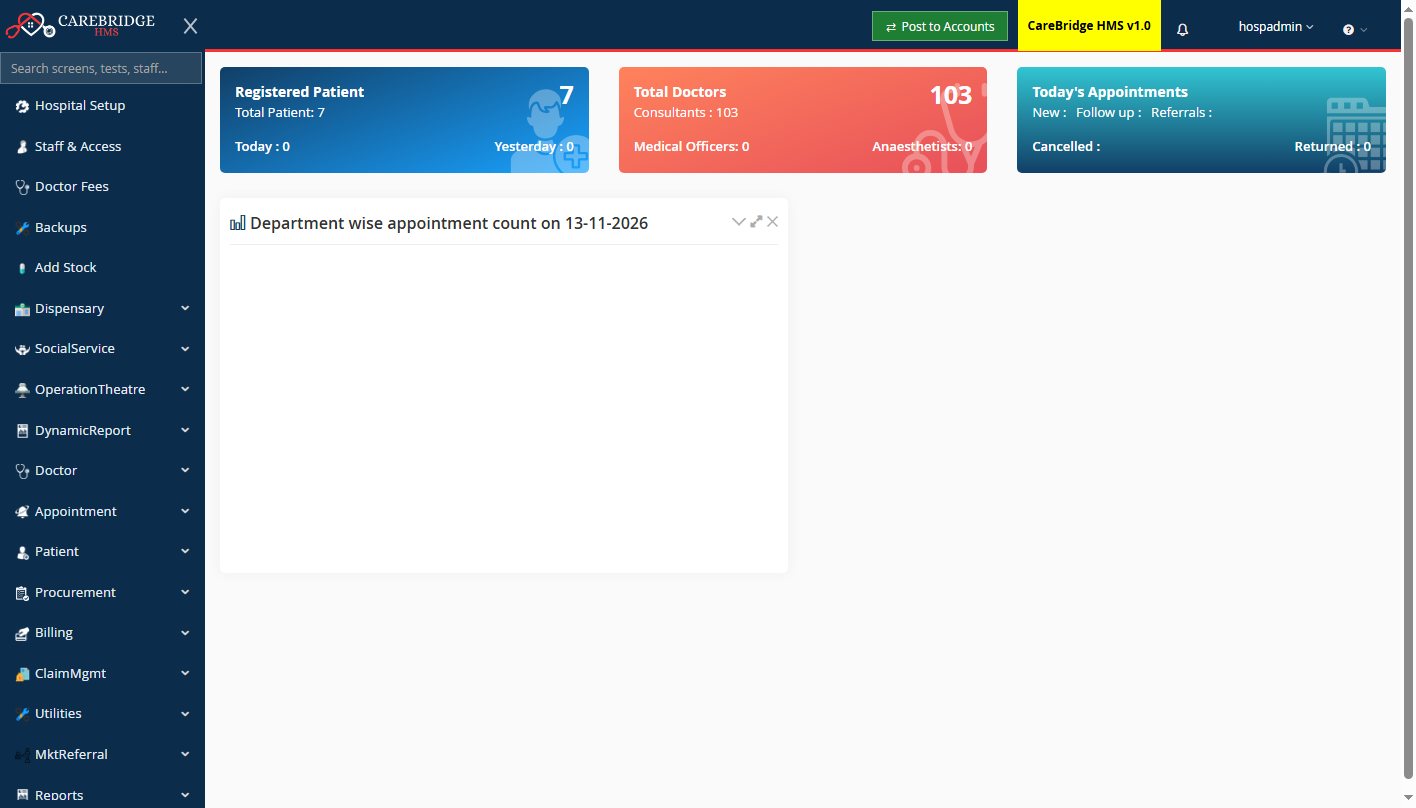
One software for every department
No more separate programs for the lab, the pharmacy and the accounts. A test billed at reception appears in the lab; a medicine sold at the counter leaves stock and reaches the ledger.
Patients & OPD
Registration, appointments, visit tokens, doctor queues and patient history.
Billing
Cash and credit bills, deposits, discounts, returns and panel / insurance billing.
IPD & wards
Admissions, beds, transfers, daily bed charges, discharge summary and final bill.
Laboratory
Sample barcodes, result entry with normal ranges, abnormal flags and printed reports.
Radiology
X-ray, ultrasound, CT and MRI orders, report templates and printing.
Pharmacy
Fast counter sales to walk-in customers, thermal receipts, returns, batches and expiry.
Inventory
Purchase orders, goods receipts, stores, ward supplies and stock reports.
Accounts
Vouchers, ledgers, day book, trial balance and balance sheet, posted automatically.
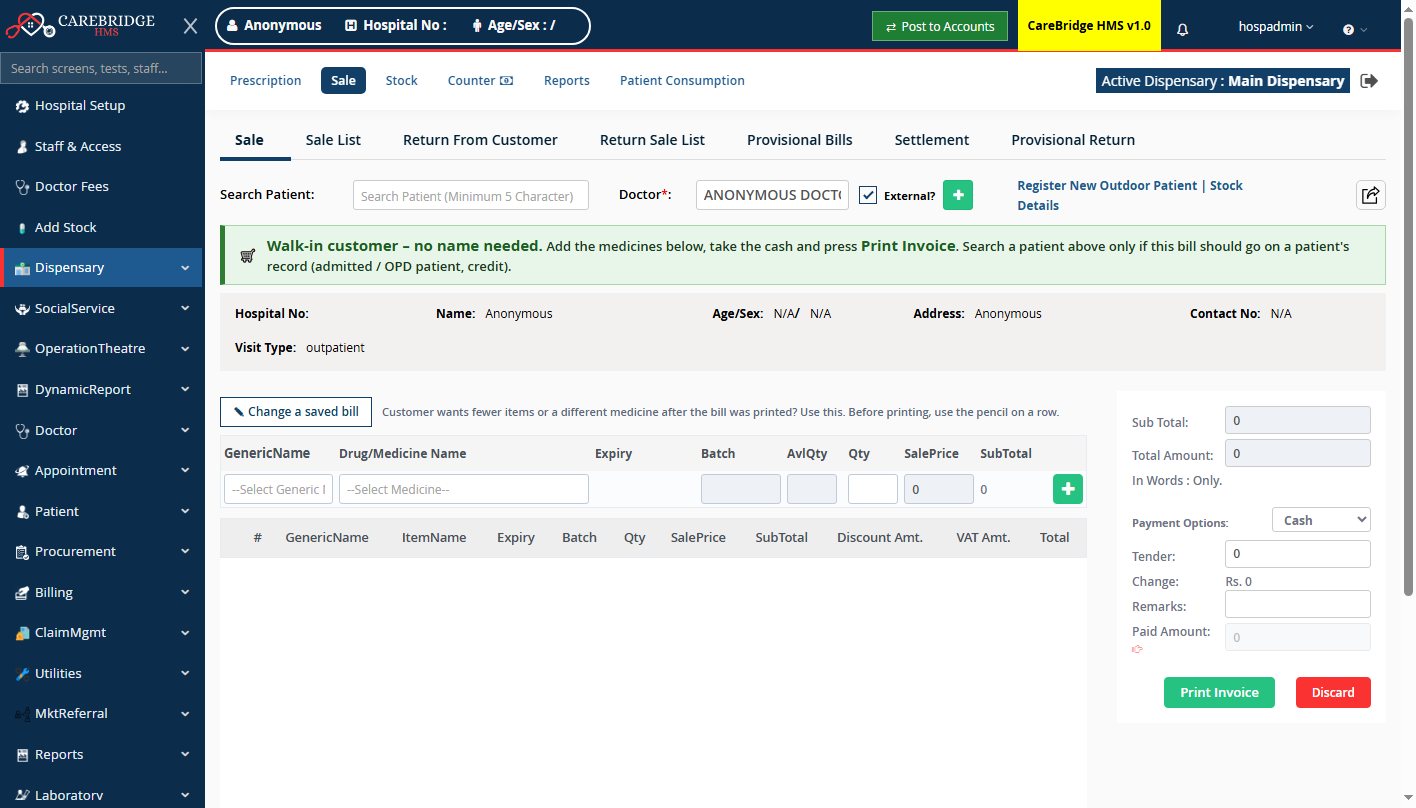
A pharmacy counter as quick as a stand-alone pharmacy software
Walk-in customer? No name, no hospital number. Add the medicines, take the cash, print a small receipt.
- Walk-in and patient sales from the same screen
- 80 mm / 58 mm thermal receipts, with your own header and footer
- Batches, expiry dates and "only N in stock" warnings
- Add opening stock for hundreds of medicines at once, or import from Excel
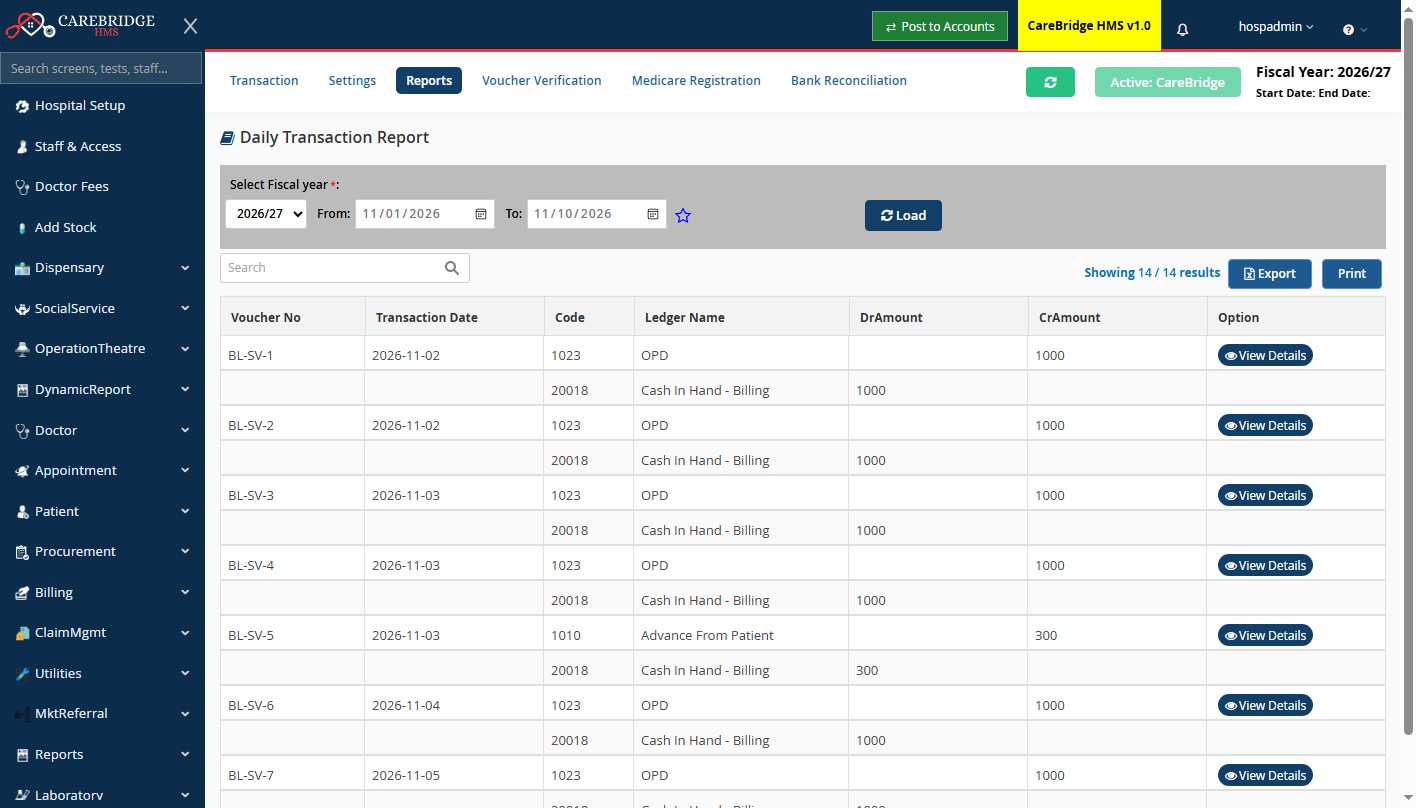
Your accounts stay up to date by themselves
Every bill, deposit, return and pharmacy sale is posted to the accounting ledgers automatically, or with one click on "Post to Accounts".
- Daily transaction report, ledgers, day book, trial balance
- Clear warning when something cannot be posted, and why
- July to June fiscal year, amounts in Rs.
Built for how hospitals in Pakistan really work
No internet? No problem
CareBridge runs on a PC in your hospital. Reception, wards, lab and pharmacy keep working when the internet or the electricity company lets you down.
Backups you can trust
Automatic backups twice a day, monthly copies kept for a year, and a copy on a USB drive, with a warning if a backup is missed.
Each person sees only their work
Staff logins with roles: the cashier sees billing, the lab technician sees the lab, the doctor sees patients. The admin decides.
Find any screen in seconds
Type "price", "LFT" or a doctor's name in the search box and go straight to the right screen.
Prints with your hospital's name
Invoices, lab and radiology reports and receipts carry your logo and address, on A4, A5 or thermal paper.
Set up and trained by us
We install it, enter your doctors, prices, tests and medicines with you, and train your staff before you go live.
Live in your hospital in four steps
Free demo
We show CareBridge on your own workflow, at your hospital or online.
Install
One setup on your server PC; other PCs open it in the browser over your network.
Your data
Doctors and fees, wards and beds, lab tests, price lists and medicines are entered with you.
Training & go live
Each department is trained on its own screens, and we stay with you in the first days.
Frequently asked questions
Does CareBridge need the internet?
No. It is installed on a computer in your hospital and the other computers use it over your local network (LAN). Internet is only needed if you want remote access or remote support.
Where is our data kept, and is it backed up?
Your data stays on your own server PC, in a separate data folder that software updates never touch. Backups run automatically twice a day, monthly backups are kept for 12 months, and every backup is also copied to a USB drive or second disk you choose.
Can we use it for the pharmacy only, or for a clinic?
Yes. You can start with the modules you need, for example OPD and billing for a clinic or the pharmacy counter alone, and switch on more modules later.
Do you enter our existing data?
We set up your doctors and fees, departments, wards and beds, lab tests and price list with you. Medicines and opening stock can be imported from an Excel sheet.
What hardware do we need?
One Windows PC as the server (a normal office PC is enough for most hospitals), the other PCs on your network, and the printers you already use, including 80 mm thermal printers for the pharmacy.
How much does it cost?
It depends on the size of your hospital and the modules you need. See the pricing page or send us a message on WhatsApp for a quotation.
See CareBridge HMS working in your hospital
Book a free demo. We will show you the screens your staff will use every day.